From domain to “good to go” in a weekend, step by step.
Setting Up a 2A WordPress Website: From Domain to “Good to Go”
A website is the one place on the internet a 2A project fully controls. Social platforms can change their rules, limit reach or remove accounts; a self-hosted site keeps the content, the mailing list and the audience relationship with the project. WordPress is a common choice because it is free, open source and supported by nearly every hosting company. Note the difference between self-hosted WordPress (the free software from WordPress.org, installed on a host the owner chooses) and WordPress.com (a hosted service run by Automattic with its own terms). This guide covers the self-hosted route.
Firearm content itself (news, law, training, reviews, history) is generally allowed by mainstream web hosts, but policies differ, and the bigger restrictions usually come from e-commerce and payment companies. Shopify revised its Acceptable Use Policy in August 2018 to prohibit selling certain firearms and accessories through its stores. Payment processors have their own rules; Stripe, for example, moved firearm businesses from its prohibited list to its restricted list in late 2025, meaning they can be approved after additional review. Read the acceptable use policy of every host, email service and payment processor before signing up, and keep backups that are not stored with the host.
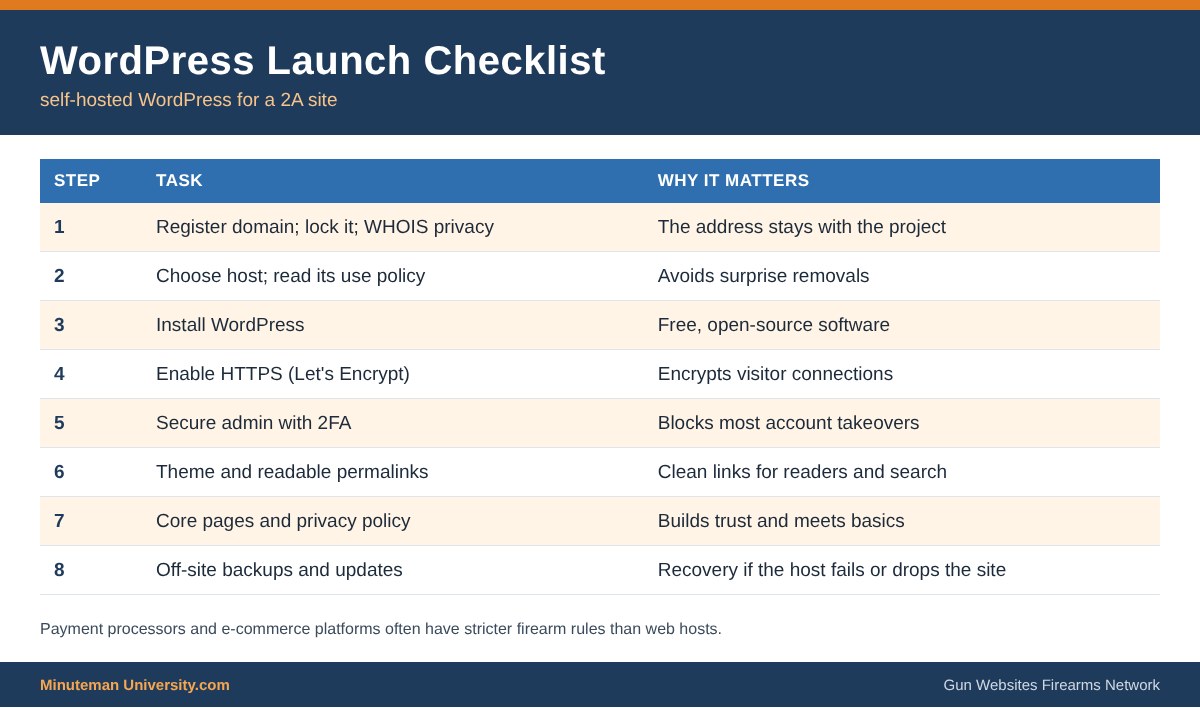
Steps to Launch
- 1. Register a domain with a registrar, and turn on registrar lock and WHOIS privacy.
- 2. Choose hosting (shared, managed WordPress or a VPS/own server) after reading its acceptable use policy.
- 3. Install WordPress with the host’s installer or manually from WordPress.org.
- 4. Enable HTTPS with a free certificate such as Let’s Encrypt.
- 5. Secure the admin: unique administrator username, strong password, two-factor login, limited plugins.
- 6. Pick a theme and set permalinks to readable post names.
- 7. Build core pages: Home, About, Contact, Privacy Policy and a clear statement of the site’s purpose.
- 8. Set up backups and updates: automatic off-site backups and regular updates to WordPress, themes and plugins.
Tips for 2A Sites
- Host video and audio files on more than one platform and keep the originals; post episodes on the site itself as well.
- Collect only the visitor data needed; a contact form does not need a phone number or address.
- Link to primary sources (statutes, court opinions) so readers can verify claims.
- Cross-link with related sites to build an audience that does not depend on social media.
Related: Creating a 2A Website, Internet Privacy and Using Technology & the Internet. Network example: Gun Websites.com.
Sources
- WordPress.org: Download WordPress
- Let’s Encrypt: Getting Started
- Tactical Retailer: Shopify bans sales of certain guns (2018)
- NSSF: Stripe updates firearm industry policies (2025)
- Setting Up a 2A WordPress Website From Start To “Good to Go” – with video